

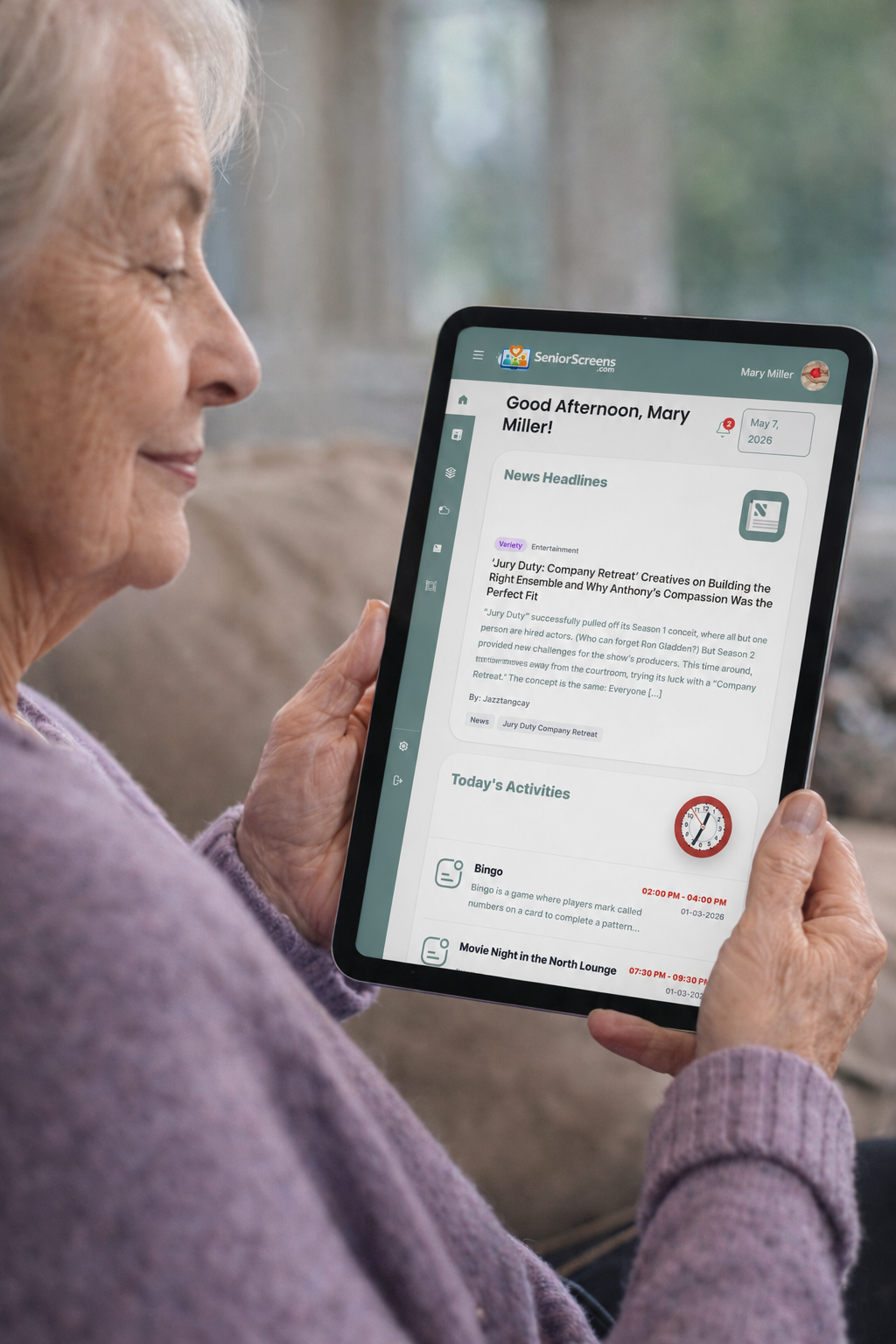


Elderly woman using a tablet to view SeniorScreens daily updates
Senior living communication made simple

Senior Living Daily Resident Portal

SeniorScreens helps senior living communities keep residents informed and engaged by making it easy to share menus, activities, announcements, and important updates.

Residents can view everything on in-house tablets, community computers, facility TVs, or their own personal devices.

Our simple, secure platform runs through the internet, requires no in-house servers or IT personnel, and never uses personal resident information.

Cloud-Based Runs through the internet. No servers. No IT staff.
๐Ÿ”’
Secure & Private We never collect or store personal resident data.
๐Ÿ‘ฅ
Engage & Inform Share menus, activities, announcements, and more.
๐Ÿ“ฑ
Accessible Anywhere View on facility screens, computers, tablets, or personal devices.
Included with SeniorScreens

Everything Residents Need
All in One Place

Staff can post once and keep residents informed across devices and facility TVs without updating several systems by hand.

๐Ÿฝ๏ธ

Menus

Share breakfast, lunch, dinner, and special meal updates in an easy-to-read format.

๐Ÿ“…

Activities

Keep residents updated on events, activities, cancellations, and schedule changes.

๐Ÿ“ฃ

Announcements

Post community updates, reminders, and notices in one central location.

โ˜€๏ธ

Weather

Display local weather information in a clean, simple, resident-friendly format.

๐Ÿ“ฐ

News

Give residents simple access to current headlines and helpful daily updates.

๐Ÿ“บ โž• ๐ŸŽต

Facility TVs

Stream local radio through facility TVs in lounges, halls, dining areas, and common spaces.

๐Ÿ–ผ๏ธ

AI Image Generation

Create AI-generated images for facility TVs to keep screens fresh, engaging, and visually appealing.

โž•

More Features

Add helpful tools as your community grows and communication needs change.

AI-powered TV content

Fresh TV Slides Without a Designer

Facility TVs work better when the content feels current. With SeniorScreens AI image generation, communities can create fresh visuals for birthdays, holidays, activities, dining themes, announcements, and special events without needing a graphic designer.

It also helps facilities avoid using real resident photos on screen. That means no photo shoots, no worrying about using an actual resident in every slide, and a cleaner way to create beautiful visuals while supporting privacy and simplicity.

Create great looking slides without using resident photos
๐ŸŽ‰ Celebration Slides
๐Ÿ›ก๏ธ No Resident Photos Needed
๐Ÿ“บ Better Looking TV Content
Ask About AI TV Images
Happy Nurses' Week AI-generated TV slide
AI slide example - Happy Nurses' Week
Play Bingo Tonight at 7 AI-generated TV slide
AI slide example - Play Bingo Tonight at 7
SeniorScreens is not just displaying information. It helps create timely TV content that looks custom made for the moment.
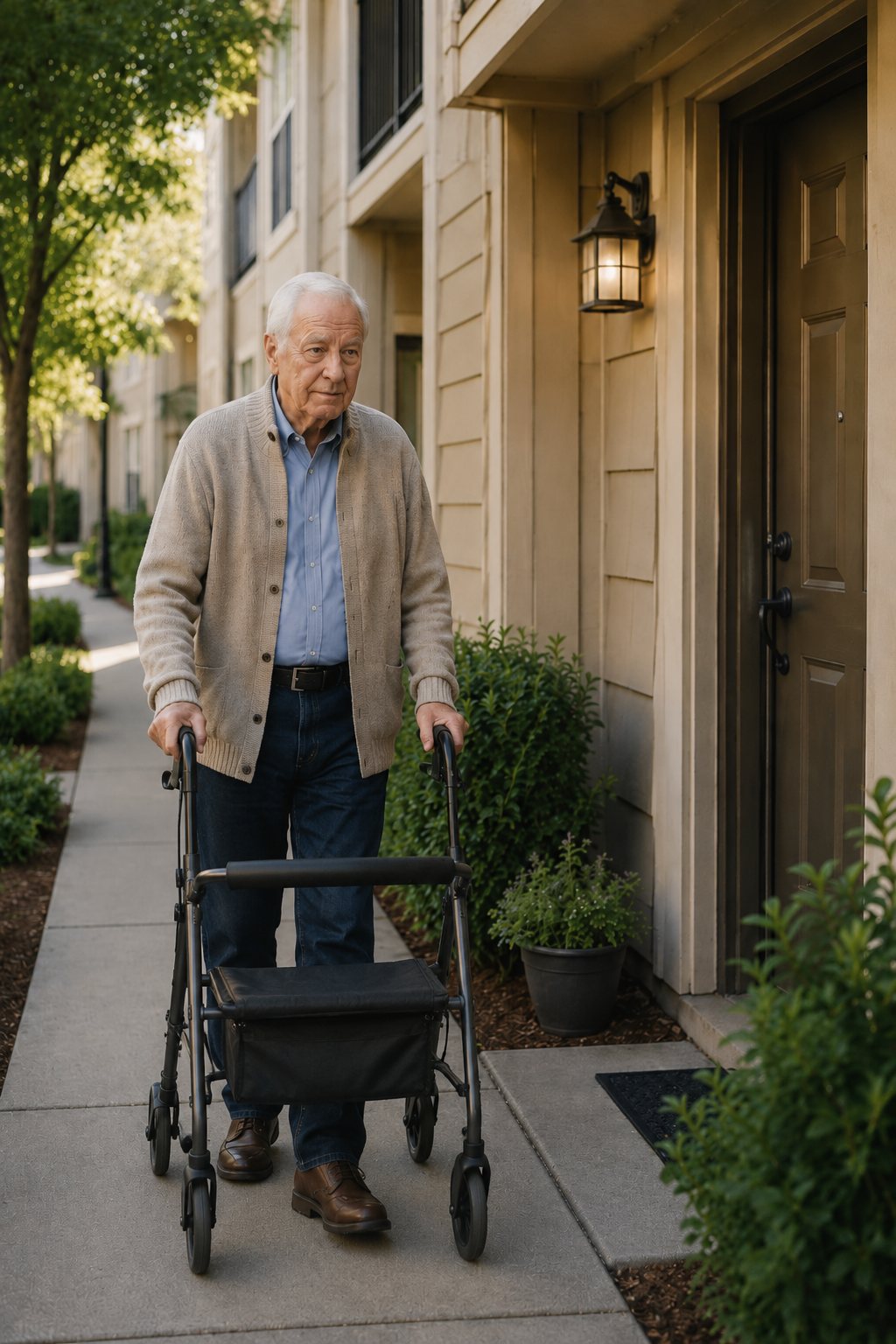
snior man doing the Turnaround Treck
A real problem. A simple solution.

How a Real Senior Living Communication Problem Led to SeniorScreens

SeniorScreens was inspired in part by a real experience that stayed with me over the years. I was contacted by an apartment resident in a large senior community in Indiana who was frustrated with how activity changes were being communicated.

He simply wanted a better way to know what was going on before making the trip to the main facility. If Bingo was canceled or an activity time changed, he often would not find out until after he had already made the trip.

Today, SeniorScreens helps solve that problem by giving residents a way to see the latest updates from their apartment, community area, or personal device before making an unnecessary trip.

SeniorScreens helps reduce the "Turnaround Trek" by keeping residents informed before they walk, ride, or drive to the main facility.
Post once. Reach everywhere.

Resident Devices and Facility TVs Work Together

SeniorScreens helps communities share the same daily information across resident devices and facility TVs. Staff can post once, and residents can stay informed wherever they are.

This is especially helpful for senior living apartments connected to a main facility, where residents may rely on the facility for activities, meals, and updates.

Show menus, activities, news, weather, and announcements.
Display shared updates on TVs in common areas.
Let residents check information from tablets and personal devices.
Avoid posting the same update in multiple places.
No app to install

Check the Day. Feel Connected.

SeniorScreens is easy because it works like the web already works. Residents can open a familiar screen, see the day's information, and move on with confidence.

1
Tap or Click Feel connected right away without needing help, downloads, or extra steps.
2
See what's happening Menus, activities, weather, news, and announcements are easy to read in one place.
3
Feel more confident Residents can check updates before making the trip to the main facility.
๐Ÿ“ฑ Phones
๐Ÿ“ฒ Tablets
๐Ÿ’ป Computers
๐Ÿ“บ Facility TVs
SeniorScreens is designed without personal resident information, so communities can keep daily communication simple, helpful, and privacy-conscious.
See the Demo
Founder's Note

Built From a Lifetime Around Senior Care

SeniorScreens did not start as a random software idea. It grew out of a lifetime around senior care.

I grew up in a senior living environment. My mother owned and operated a nursing home for more than 40 years, so I saw the daily rhythm of senior care up close. As a child, I spent time in resident lounges, watched staff handle daily communication, and later worked around the building doing maintenance and helping where I could.

After military service, I learned computers, networking, and management. In the mid-1990s, I helped bring technology into that same senior care environment. Over time, I saw how something simple โ€” like a missed activity update, a menu change, or a canceled event โ€” could affect a resident's day.

SeniorScreens was built from that experience. The goal is simple: help staff communicate faster, help residents stay informed, and make daily life inside senior living communities feel more connected.

โ€” Glenn Werstler, Founder
Insight by PageGravy

Practical Digital Solutions

SeniorScreens is built by PageGravy, a company focused on practical, results-driven digital solutions for real-world communication challenges.

Learn More
Stay up to date

Get SeniorScreens Updates

Get notified about new features, enhancements, and improvements designed for senior living communities.

Newsletter (#2)

Ready to Keep Residents More Informed?

See how SeniorScreens can help your senior living community post once and reach residents across devices and facility TVs.

Request a Demo